Fast prototyping helps product teams test assumptions before expensive tooling, software integration, or mass production. A rough foam model, clickable screen, or 3D-printed housing can expose problems within hours. It changes development from debating possibilities to observing real user reactions. However, speed alone does not create a successful product. A fast prototype can still measure the wrong need.
Industry evidence shows why this method deserves attention. The Wohlers Report 2024 recorded a 13.5% increase in global additive manufacturing revenue during 2023, reaching $20.035 billion. McKinsey’s product development research also highlights agile workflows, digital tools, and cross-functional collaboration as important performance drivers. These findings support rapid experimentation, but they do not guarantee market fit. Teams must still validate safety, accessibility, cost, and manufacturing limits.
IDEO founder David Kelley offers a useful principle: “You can’t think your way through a problem; you have to work your way through it.” His view captures the practical value of fast prototyping. Build something visible. Test it with real users. Record the awkward moments. Revise the design.
That process is rarely perfect.
A prototype may impress stakeholders while confusing customers. A successful test may fail at scale. The strongest teams treat these failures as evidence, not embarrassment. This article explains how to select prototype fidelity, plan efficient testing, gather reliable feedback, and connect early experiments with responsible product decisions.
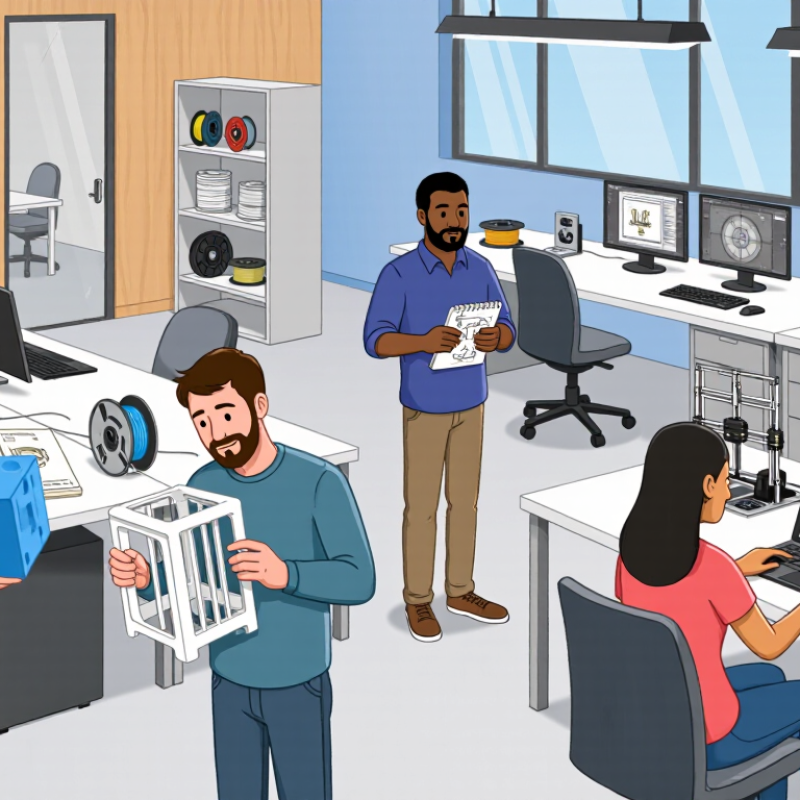
Fast prototyping turns uncertain product ideas into testable evidence. A rough interface, 3D-printed shell, or clickable workflow can reveal problems before engineering costs expand. Industry benchmark reports have linked disciplined prototyping with up to 2× faster time to market, especially when teams test customer needs early.
That result depends on process, not speed alone. Product teams should define one risky assumption, build the smallest useful prototype, and test it with realistic users. A 2023 product-development survey found that high-performing teams involve customers during discovery and validation far more often than slower teams. In practice, a ten-minute usability session may expose a confusing button, a missing safety step, or an unrealistic purchase flow.
My experience suggests that prototypes fail when they become miniature finished products. They consume weeks and protect weak ideas. Keep materials simple: cardboard, basic screens, sample data, and visible notes. Short feedback cycles work better. Still, the “2× faster” claim needs caution. It can describe time to launch, not product quality, revenue, or adoption. Teams may move quickly toward the wrong solution. A useful record should track revision count, test findings, decision time, and unresolved risks.
One uncomfortable question remains: did the prototype improve the product, or merely make the team feel busy?

Fast prototyping helps teams test product ideas before investing heavily in development. The difficult choice is deciding how realistic the prototype should be. A rough paper flow can expose confusing navigation quickly. A clickable prototype can reveal timing, labels, and interaction problems. High-fidelity screens are useful when visual hierarchy or accessibility needs close evaluation.
The five-user method offers a practical way to choose prototype fidelity. Define one focused research question, then invite five representative users. Give each person realistic tasks, such as finding a product, changing an option, or recovering from an error. Watch their actions quietly. Record hesitation, repeated mistakes, and unexpected workarounds. After the sessions, compare patterns rather than isolated opinions. If several users fail at the same step, the prototype has exposed a meaningful risk.
Five users are not a statistical guarantee. They are a fast learning checkpoint. This method can miss uncommon needs, especially among users with disabilities or limited technical experience. I have also seen teams test polished screens too early, making participants comment on colors instead of the workflow. That was a costly distraction. A better approach is to begin with the simplest prototype that can answer the current question, then increase fidelity only when evidence requires it. Test small. Revise honestly.
| Prototype Fidelity | Typical Development Stage | Primary Research Question | Recommended Test Setup | What to Measure | Decision After Testing |
|---|---|---|---|---|---|
| Low fidelity | Problem discovery and early concept exploration | Do users understand the problem, proposed workflow, and information structure? | 5 participants Paper sketches, whiteboard flows, storyboards, or simple wireframes | Misunderstood concepts, missing steps, terminology problems, and major workflow obstacles | Revise the concept, task flow, or content structure before investing in visual design or engineering |
| Mid fidelity | Interaction design and task-flow validation | Can users complete the core tasks with the proposed navigation and interaction patterns? | 5 participants Clickable wireframes with representative screens and realistic task paths | Task completion, navigation errors, hesitation points, backtracking, and requests for clarification | Prioritize usability fixes and retest the revised flow with a new group of participants |
| High fidelity | Pre-development validation and stakeholder alignment | Does the near-final experience support realistic tasks, content, and interface details? | 5 participants Interactive prototype using realistic content, layout, labels, and responsive states | Critical usability problems, content clarity, control discoverability, form completion, and accessibility concerns | Fix high-impact issues before development; document any known limitations that remain |
| Production-like prototype | Final risk reduction before release | Are the most important end-to-end scenarios usable under realistic conditions? | 5 participants Prototype or staging environment covering the highest-risk journeys | Severe errors, recovery behavior, completion barriers, performance perceptions, and device-specific problems | Approve, revise, or delay the release based on unresolved high-severity findings |
| Test Round | Participants in Round | Cumulative Participants | Prototype Focus | Recommended Action |
|---|---|---|---|---|
| Round 1 | 5 | 5 | Identify the most serious and repeated usability problems | Stop testing, synthesize findings, and make targeted design changes |
| Round 2 | 5 new participants | 10 | Check whether the changes resolved the original problems | Retain successful changes and address newly discovered high-impact issues |
| Round 3 | 5 new participants | 15 | Validate remaining high-risk tasks and edge cases | Continue only if important problems remain or the product has materially changed |
| Release check | 5 new participants | 20 | Confirm that critical end-to-end scenarios work in the near-final experience | Resolve release-blocking issues and record residual risks |
Fast prototyping turns assumptions into observable behavior before development becomes expensive. A clickable checkout flow, drawn on a tablet, can reveal hesitation within minutes. Nielsen Norman Group’s usability research, based on studies by Virzi (1992) and Nielsen (1993), suggests that testing with five users can uncover up to 85% of usability problems. The figure is persuasive, but it is not a guarantee.
Five participants can expose repeated friction, such as a hidden button, unclear wording, or a confusing payment step. Watch what they do, not only what they say. Ask each person to complete realistic tasks in a quiet setting. Record the moment they pause. Note every workaround. Short sessions often produce sharper evidence than long interviews.
Five users are not magic. Their experience, accessibility needs, and familiarity with the product can change the findings. A narrow participant group may create false confidence. I have seen teams fix the most visible issue while missing a basic navigation problem. Repeat the test after each prototype change. The goal is not perfect evidence. It is cheaper learning, made early. Research from the System Usability Scale literature also shows that structured user feedback can produce comparable usability measurements, but scores still need behavioral context. A number alone cannot explain why someone abandons a task.
Fast prototyping turns uncertain product ideas into testable evidence before teams spend heavily. A widely cited startup analysis reports that 35% of failed ventures lacked sufficient market need. That figure should guide research, not create panic. Build the prototype around that risk.
If buyers may pay, show a simple checkout screen and request a real commitment. If speed matters, test a five-step workflow with timed tasks. Record completion rates, hesitation, questions, and repeated workarounds. Conversations reveal motivations, but observed behavior often provides stronger evidence than polite approval. Keep it measurable.
Set a clear decision rule before testing. For example, continue only if eight of twelve target users complete the core task without assistance. Capture each session with dates, user roles, objections, and requested features. Avoid adding features after every complaint. That habit can hide weak demand beneath attractive functionality.
The result may disappoint. A prototype can expose an audience that likes the concept but will not change its routine. That is valuable, although uncomfortable. My own testing experience suggests that teams often measure enthusiasm and ignore friction. A cleaner method compares promised value with actual effort, delay, and willingness to return. When the numbers conflict, investigate the design, audience, and problem definition separately. A fast prototype does not prove market fit; it makes unsupported confidence easier to challenge.
Fast Prototyping for Product Development
Fast prototyping turns uncertain ideas into observable behavior. A clickable screen, paper workflow, or simple physical mock-up can expose confusion early. In practice, teams learn more from five user attempts than from a week of internal debate. Keep the prototype narrow. Test one risky assumption at a time. Record where users pause, ask questions, or choose an unexpected path.
Iteration should follow evidence, not excitement. Before each test, define the decision it should support. For example, measure whether users can complete checkout within two minutes without assistance. Use interviews to understand motivation, but combine them with observed actions. Opinions are useful signals, not proof. I have seen teams overvalue enthusiastic comments while ignoring repeated task failures. That mistake is expensive.
Prioritize findings by user impact, evidence strength, and implementation effort. A frequent error deserves attention before a rare cosmetic complaint. However, easy fixes should not automatically win. Rebuild the weakest part, then test it with different users. Keep dated notes, screenshots, task times, and failed assumptions. This record improves decisions and supports honest communication with stakeholders. Some prototypes will be discarded. That is normal. Scaling before validation creates polished problems, larger costs, and slower learning. Even validated ideas need controlled releases, clear metrics, and regular review. A prototype can still mislead when the test environment is too convenient. Reflect on that.
| Cookie | Duration | Description |
|---|---|---|
| cookielawinfo-checkbox-analytics | 11 months | This cookie is set by GDPR Cookie Consent plugin. The cookie is used to store the user consent for the cookies in the category "Analytics". |
| cookielawinfo-checkbox-functional | 11 months | The cookie is set by GDPR cookie consent to record the user consent for the cookies in the category "Functional". |
| cookielawinfo-checkbox-necessary | 11 months | This cookie is set by GDPR Cookie Consent plugin. The cookies is used to store the user consent for the cookies in the category "Necessary". |
| cookielawinfo-checkbox-others | 11 months | This cookie is set by GDPR Cookie Consent plugin. The cookie is used to store the user consent for the cookies in the category "Other. |
| cookielawinfo-checkbox-performance | 11 months | This cookie is set by GDPR Cookie Consent plugin. The cookie is used to store the user consent for the cookies in the category "Performance". |
| viewed_cookie_policy | 11 months | The cookie is set by the GDPR Cookie Consent plugin and is used to store whether or not user has consented to the use of cookies. It does not store any personal data. |