Get an instant quote
Get in touch Listen to our podcast

Blog

10 Tips for Buying TWS Wireless Earbuds?

Buying Tws Wireless Earbuds can seem simple until you compare dozens of similar-looking models. One pair may promise long battery life, while another highlights noise cancellation or clearer calls. The box tells only part of the story. Fit, comfort, and connection stability matter just as much during an ordinary commute or a long workday.

A useful buying guide should turn those claims into questions you can check. How securely do the earbuds sit when you walk? Can you adjust the volume without reaching for your phone? Does the charging case fit easily into a pocket? Small details count. A neat specification sheet can still disappoint if the tips feel uncomfortable after an hour. That is worth remembering.

These ten tips will help you compare sound quality, battery performance, microphone clarity, Bluetooth features, water resistance, controls, and return policies. They also explain why advertised battery figures may differ from everyday results: volume, call time, and noise-canceling settings can affect playback. No single feature makes the best choice for everyone. A frequent traveler may value effective noise reduction, while someone taking outdoor calls may care more about a steady fit and intelligible voice pickup. Consider your routine before paying for features you may rarely use. If possible, check independent reviews and the seller’s warranty details, then weigh them against your budget. There is no perfect pair. The right one should feel comfortable, work reliably, and suit how you actually listen.
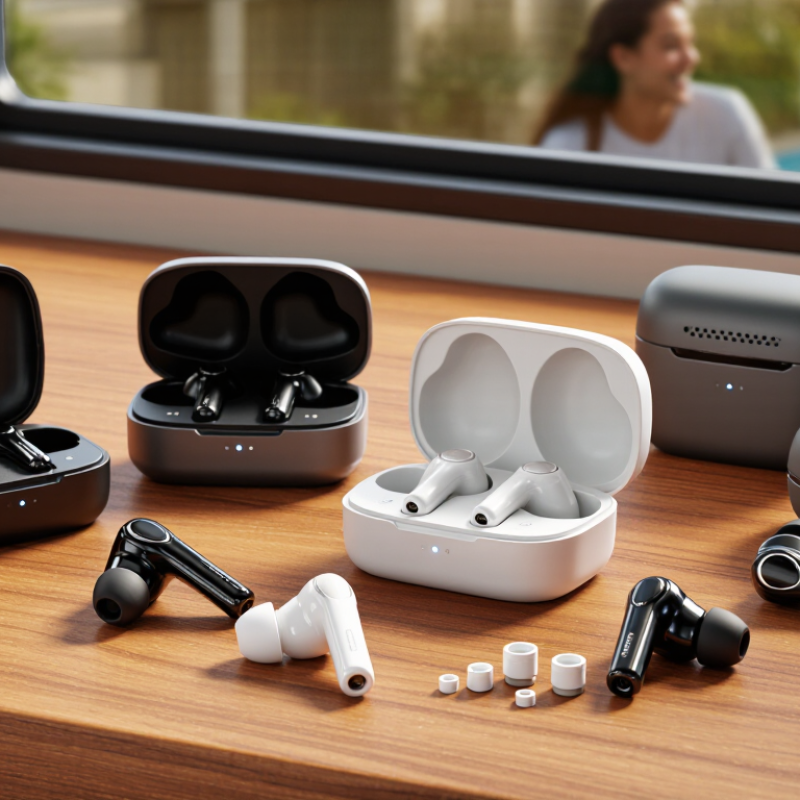
10 Tips for Buying TWS Wireless Earbuds?

Define Your Listening Needs and Set a Realistic Budget

Before comparing TWS earbuds, picture a normal day of listening. Do you wear them on a noisy bus, during video calls, or while walking through quiet streets? Each setting calls for different priorities. On a commute, a secure fit and effective noise reduction may matter more than extra sound modes. For calls, check whether reviews describe clear speech in a busy room. If you listen at home, comfort and balanced sound may be enough. Small details matter.

Set a budget based on those needs, not on a long feature list. Include the cost of a replacement charging case or ear tips if those parts are sold separately. A higher price does not guarantee a better fit; ear shape varies, and even well-reviewed earbuds can feel loose after an hour. I would spend more only for a feature I expect to use regularly, such as reliable multipoint connection for a laptop and phone. Otherwise, paying extra for rarely used controls may not be worthwhile. Leave room to return a poor fit, and check the seller’s return window before opening the package.

10 Tips for Buying TWS Wireless Earbuds: Define Your Listening Needs and Set a Realistic Budget

This illustrative budget plan assigns more weight to sound quality and comfort, while reserving smaller shares for noise cancellation, call quality, and battery life. Adjust the percentages to match how and where you listen; they are planning suggestions, not survey results.

Compare Earbud Fit, Comfort, and Noise-Control Options

Fit is the first noise-control feature to test. A soft tip should seal the ear without creating sharp pressure or slipping when you chew. Try every included size, then walk for a few minutes. Small details matter. If one ear feels loose, it may need a different tip size from the other. A weak seal can reduce passive isolation and make bass sound thin, even when the earbuds have active noise cancellation. I still find fit hard to judge in a quick shop test; comfort after an hour matters more.

Compare noise cancellation, transparency mode, and passive isolation in the places you actually use earbuds. ANC can soften steady sounds, such as bus rumble, while transparency mode helps you hear nearby speech. Results vary with fit and sound frequency. Do not treat ANC as hearing protection. The WHO-ITU Global Standard for Safe Listening Devices sets a reference exposure of 80 dB for up to 40 hours weekly for adults. Check whether an app offers volume monitoring or exposure alerts, and keep listening levels comfortable. A quieter setting often works better than turning the volume up to overcome a poor seal.

10 Tips for Buying TWS Wireless Earbuds: Compare Fit, Comfort, and Noise-Control Options

Tip What to Compare How to Check Why It Matters
1 Ear-tip sizes and materials Check whether the package includes several tip sizes. Try different sizes and look for a secure seal without pressure or soreness. A suitable seal can improve stability, passive noise reduction, and bass response.
2 Earbud shape and weight Compare the housing shape and published weight per earbud. If possible, wear them for at least 20–30 minutes before deciding. A light, well-shaped earbud may feel more comfortable during extended listening, but fit varies from person to person.
3 Fit security during movement Walk, turn your head, and gently move your jaw while wearing the earbuds. Check whether they shift or need frequent adjustment. A stable fit is important for commuting, exercise, and consistent sound.
4 Active noise cancellation (ANC) Compare ANC settings and test them against steady low-frequency sounds, such as ventilation or vehicle cabin noise. ANC can reduce some background noise, especially steady low-frequency sounds, but performance varies and it does not eliminate all noise.
5 Passive isolation and ear-tip seal Listen with ANC switched off and compare how much outside sound is blocked by the ear tips alone. Physical fit contributes to noise isolation and can affect how well ANC works.
6 Transparency or ambient mode Check whether outside sound can be heard naturally through the earbuds and whether the level can be adjusted. This mode can help you hear announcements or nearby conversation without removing the earbuds.
7 Noise-control microphones and wind handling Look for reviews or demonstrations recorded outdoors, and compare performance in light wind as well as quiet indoor settings. Microphone placement and processing can affect ANC, transparency, and call quality; wind may create distracting noise.
8 Controls and accidental touches Check whether the earbuds use touch, button, or app controls. Test the controls while adjusting the fit. Easy-to-use controls help you change volume or noise modes without repeatedly taking out your phone.
9 Battery life with ANC enabled Compare the maker’s stated playback time with ANC on and off, and check the charging case’s additional capacity. ANC use can reduce playback time, so figures for different listening modes should not be treated as interchangeable.
10 Water resistance and safe use Check the product’s IP rating and the conditions covered by its documentation. Avoid assuming that water resistance means the earbuds are waterproof. Ingress-protection ratings indicate tested resistance to specific conditions. ANC is not hearing protection, so keep listening volume at a safe level.

Evaluate Sound Quality, Codecs, and Microphone Performance

Sound quality is more than bass. Listen for clear vocals, controlled low notes, and cymbals that do not turn sharp at higher volumes. The Qualcomm State of Sound 2023 report surveyed 9,000 consumers across nine markets; 73% said high-resolution audio mattered to them. Treat that as a preference, not proof that a codec guarantees better sound. Bluetooth codecs differ in bandwidth and device support, but fit, tuning, and the source recording also shape what you hear. A phone and earbuds may not share the same codec, either.

Tip: Play a familiar track at a moderate volume, then compare voices and bass. Check the phone’s codec settings, but do not buy from codec labels alone. Small details matter.

For microphones, test a short call in a quiet room and near a steady noise, such as a desk fan. Listen for clipped syllables, hollow voice tone, and wind rumble. Review microphone samples or independent call tests when possible; specifications rarely reveal how well an earbud suppresses street noise. Fit can affect voice pickup, too. I would not trust one perfect demo—real calls are messier, and that is worth remembering.

Check Connectivity, Battery Life, and Charging Features

Tip 1: Check how the earbuds connect before buying. Look for a stable Bluetooth connection and compatibility with your phone, tablet, or laptop. If possible, test them in a busy place, such as a station, where nearby devices can reveal dropouts. Small details matter.

Tip 2: Check whether switching between two devices is supported if you often move from calls on a laptop to music on your phone. The feature can save time, though setup may feel fiddly.

Tip 3: Treat battery figures as estimates, not guarantees. Noise cancellation, high volume, and frequent calls can shorten listening time. Compare the stated earbud runtime with the charging case’s total capacity. For everyday use, consider whether one charge will cover your commute and workday. A perfect spec sheet can still disappoint if it does not match your routine.

Tip 4: Examine the charging options. A USB-C port is convenient if your other devices use the same cable, while wireless charging can help at a desk. Check how long a full charge takes and whether the case has clear battery indicators. I’d also look for a quick-charge feature for rushed mornings. It is easy to overlook. A tiny status light may be difficult to read outdoors, so check how the case communicates its charge level before choosing.

Review Durability, Warranty, and Long-Term Value

A low price can hide a short service life. Check the stated battery runtime, then look for clear warranty terms covering charging faults, not just manufacturing defects. Battery capacity naturally declines, and many warranties limit coverage for normal wear. Read the exclusions before comparing prices. A vague promise is not much protection.

Durability is tested in small moments: earbuds slipping onto a tiled floor, a case rattling in a bag, or charging contacts collecting pocket lint. Check the hinge, case fit, replacement-part availability, and the exact meaning of any water-resistance rating. A rating describes specific test conditions; it does not make earbuds waterproof. I still catch myself focusing too much on advertised playtime. Long-term value also depends on whether one lost or damaged part makes the whole set unusable.

The Global E-waste Monitor 2024, produced by UNITAR and ITU, reports that the world generated 62 million tonnes of e-waste in 2022; just 22.3% was documented as formally collected and recycled. That wider waste problem makes repairability worth weighing alongside sound quality. Check whether batteries or individual earbuds can be serviced, and compare warranty length with the expected replacement cost. Keep the receipt, too. Small details matter.

CNC machining CAD export file formats

Put your parts in production today

Get an instant quote