How to Choose a 100 Pin SCSI Cable in 2026?
Choosing a 100 Pin Scsi Cable in 2026 takes more than matching a connector by sight. Legacy SCSI equipment can look deceptively similar, while pin layout, interface type, and termination requirements may differ. John Lohmeyer, a longtime SCSI standards leader, is associated with work that stresses interoperability. To avoid inventing a direct quotation, here is a clearly labeled, non-verbatim takeaway inspired by that standards focus: “Compatibility is a system question, not just a connector question.” Check the device manual and exact model numbers before ordering.
Start with the equipment at both ends. Confirm that each port genuinely uses a 100-pin SCSI connection, then verify the cable’s wiring and intended use. Check whether the setup needs a straight-through cable, a specific gender, or external termination. Small details matter. A cable that fits may still fail to connect the devices reliably. Measure the route, too. Include room for bends behind the rack, but avoid excess slack near fans or moving parts.
In 2026, many 100-pin SCSI cables serve older or specialized systems, so listings may be incomplete or confusing. Ask the seller for clear connector photos, part numbers, and return terms. Inspect shielding, strain relief, and connector contacts when the cable arrives. Measure twice. I would not treat a familiar brand name as proof of compatibility; I have seen that assumption leave one crucial detail unchecked. This guide’s outline focuses on identification, compatibility, build quality, and practical testing, helping you choose a 100 Pin SCSI Cable with fewer costly surprises.
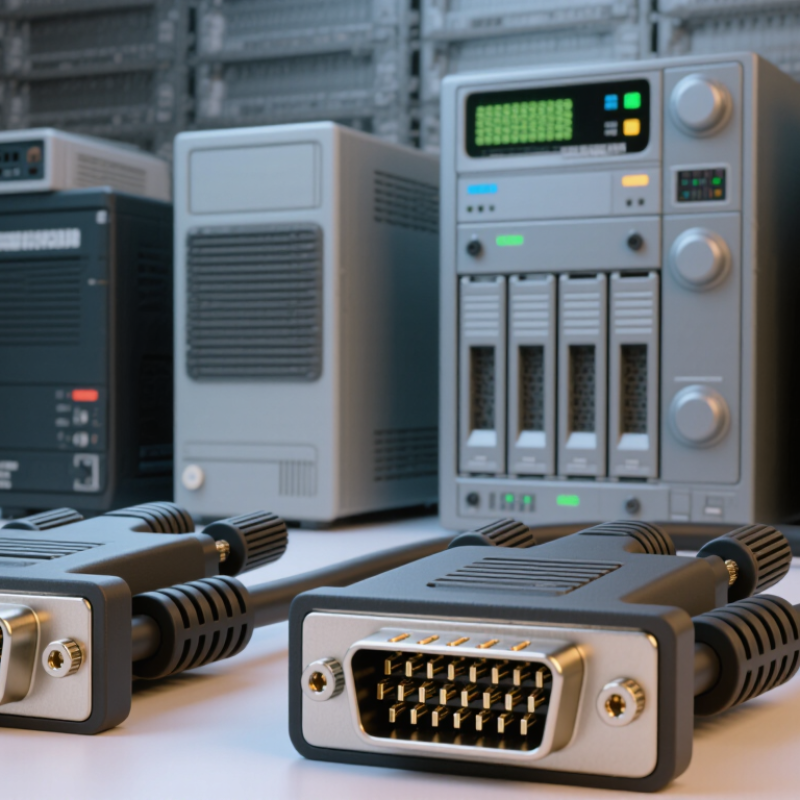
Identify the 100-Pin SCSI Connector and Interface Type
A 100-pin SCSI connector is not identified safely by pin count alone. Check its shape, keying, and contact arrangement against the device documentation. Is it a dense rectangular plug, or a ribbon-style connection? Note whether the cable end is male or female, and look for bent pins or a damaged shell. Small differences matter.
Then identify the interface type. SCSI systems may use single-ended, low-voltage differential, or high-voltage differential signaling. These are not interchangeable, even when connectors appear to fit. Check the equipment labels or service manual for the SCSI mode, bus width, and supported generation. Also confirm whether the connection is internal or external. A 100-pin connector may be specific to a device or assembly, so avoid assuming it follows a common pinout. Fit is not proof.
A practical check helps. Compare both ends in good light, then trace the cable route and termination points. Look closely. If documentation is missing, record the connector dimensions and pin layout before ordering. I would not rely on a seller’s “100-pin SCSI” description alone; it can leave out the electrical interface. That extra verification takes a few minutes, but guessing can risk equipment damage. Even a careful inspection can leave uncertainty, so pause when the interface cannot be confirmed.
Check Device Compatibility and SCSI Standards
A 100-pin SCSI plug is not enough to confirm compatibility. Check the device manual for its connector pinout, interface generation, and required termination. Then compare the cable’s wiring and length with the host adapter and peripheral. A connector may fit while carrying signals differently. Looks can deceive.
The T10 technical committee’s SPI-4 standard, published as INCITS 362-2002, specifies Ultra320 SCSI operation at up to 320 MB/s. Earlier Ultra160 systems are rated at up to 160 MB/s. These are interface rates, not guaranteed transfer speeds; the slowest device and bus configuration can limit performance. T10’s standards documents describe the signaling requirements, so use them alongside the device specifications rather than treating pin count as a standard. I would still verify the exact cable part description against both ends. It is an easy detail to overlook.
Tips: Check the device’s SCSI generation, connector pinout, cable length, and termination requirements before buying. If documentation is unclear, confirm the pin mapping with a qualified technician; a visual match alone is not proof.
Choose Cable Length, Shielding, and Build Quality
For a 100-pin SCSI cable, confirm the connector pinout and electrical interface before measuring the route. Pin count alone does not identify the SCSI mode. T10’s ANSI INCITS 336-2000 SPI-3 specification gives maximum bus lengths of up to 12 metres for LVD and 3 metres for single-ended SCSI, subject to topology and device-count limits. Keep the cable as short as the setup allows, and include internal runs in your measurement. A tidy curve beats a tight bend.
Shielding helps reduce interference, but it cannot fix a mismatched bus or poor termination. Look for continuous shielding, secure connector shells, and strain relief that does not pull on the conductors. In a rack near power supplies or fans, keep the SCSI run separate from power cables where practical. The connector should seat firmly, with no rocking or exposed contacts. Fit matters. Test the run.
Build quality shows up in less obvious details: even cable spacing, clean termination, and a jacket that resists kinks. Check continuity and pin-to-pin mapping with a tester before connecting equipment; then inspect for intermittent faults while gently moving the cable. I would not assume a thicker jacket means better signal integrity. That is an easy mistake. Match the cable to the controller, devices, and bus mode, and verify the full path rather than trusting the label.
Verify Pinout, Termination, and Connector Orientation
How to Choose a 100 Pin SCSI Cable in 2026?
A “100-pin” label alone does not confirm compatibility. Check the exact SCSI interface and pinout in the equipment documentation, then compare the connector’s pin-1 mark and keying. Numbering can look reversed when viewed from the cable side. Do not guess. Never force a connector that resists; bent pins are easy to miss and costly to troubleshoot.
Termination matters, too. In a typical SCSI chain, terminators belong at the two physical ends, not on every device. Verify whether the host adapter or end devices already provide termination, and use the type specified for that bus. An incorrectly terminated chain may cause intermittent errors that resemble a faulty cable. It is tempting to blame the cable first, but that is not always the answer.
Tips: Disconnect power before fitting the cable. Check connector orientation against the pin-1 markings at both ends. If the markings are unclear, consult the device manual or verify continuity with a suitable tester while the cable is disconnected. Write down the connector view you checked; small details are easy to forget.
Compare Suppliers and Confirm Cable Specifications
When comparing suppliers for a 100-pin SCSI cable, request a drawing and a written specification. Confirm connector gender, keying, pin mapping, cable length, shielding, and supported signaling. “100-pin” alone does not confirm compatibility. Ask whether the cable is intended for single-ended or low-voltage differential (LVD) operation, and whether termination is included or required separately. Small connector differences matter.
Use published limits to check supplier claims. The ANSI/T10 SCSI Parallel Interface SPI-3 specification gives a maximum bus length of up to 12 meters for LVD, while multi-device single-ended configurations commonly require limits around 1.5 meters. These are bus limits, not guarantees for every cable. Ask suppliers to state the test conditions behind any performance figures, including data rate and topology. Request continuity and pin-to-pin test results, plus a sample for fit and installation checks. A neat cable can still have the wrong wiring. Compare lead time, minimum order quantity, and documentation alongside price; I have seen buyers overlook the last item.
How to Choose a 100-Pin SCSI Cable in 2026?
Compare suppliers and confirm the cable’s connector, pinout, and supported SCSI protocol before ordering.
These are nominal maximum bus rates for common parallel SCSI generations, not guaranteed real-world throughput. A 100-pin connector alone does not identify the supported speed. Confirm that the cable’s pinout and connector arrangement match your equipment, and that its specifications support the SCSI generation in use.
Reference: published nominal transfer rates for SCSI-1, Fast SCSI, Ultra SCSI, Ultra2 SCSI, Ultra160, and Ultra320.


