A touch-sensitive wall switch can make a familiar action feel effortless: a light tap by the doorway, a dimmer slide beside the bed, or a scene activated from a quiet hallway. But a smooth glass panel is only part of the story. The right Touch Power Switch must also match the home’s wiring, lighting load, dimming needs, and preferred smart-home platform. Small details matter.
Lighting-control pioneer Joel Spira helped bring electronic dimming into everyday homes. This guide uses a principle inspired by his work—not a verbatim quotation: “Smart control should make lighting simpler, not simply add another gadget.” That distinction is useful when comparing seven popular options. A switch that responds quickly and fits existing routines may be more valuable than one with a longer feature list.
Look closely at compatibility before choosing. Check whether a model needs a neutral wire, supports your bulbs, and works with the hub or voice assistant you already use. Also consider what happens when Wi-Fi drops. Does the wall control still respond? Can guests understand it without an app? These are easy questions to overlook.
Looks can mislead. A polished touch surface may show fingerprints, feel unintuitive, or offer limited feedback in a dim room. The following picks weigh everyday usability alongside connectivity, installation requirements, and control features. No single switch suits every home. That is worth remembering.
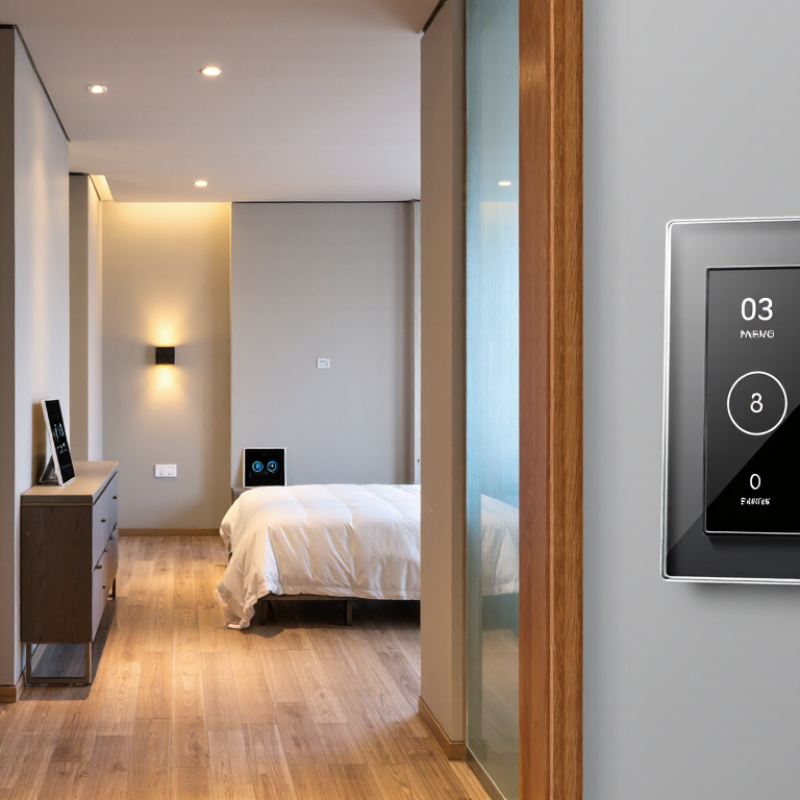
A touch power switch replaces a click with a light tap on a sensor-equipped panel. Behind the glass, an electronic control operates the connected circuit. Depending on its design, the switch may also connect to a home network, allowing app control, schedules, or coordinated lighting scenes. A hallway light can turn off automatically after bedtime, while one tap can dim several compatible lights. That distinction matters: the switch controls power, but it does not make an inefficient bulb efficient.
The U.S. Department of Energy reports that LED bulbs use at least 75% less energy than incandescent bulbs and can last up to 25 times longer. A smart switch can help households use lighting more deliberately, but actual savings depend on habits, settings, and compatible equipment.
Check the switch’s load rating, wiring requirements, and bulb compatibility before installation; some models need a neutral wire. Small details matter. A smooth glass panel may look neat, yet it can be harder to use with wet fingers or during a power outage. I’d also test its touch response in the room itself—sensitivity that feels convenient in a showroom can feel fussy at home.
A touch power switch detects a finger through a change in capacitance. Beneath its glass or plastic face sits a conductive sensor. When a finger approaches, the sensor’s electric field changes; a small controller reads that change and signals a relay or electronic switching component. Tap once. The light responds. Unlike a mechanical switch, the surface has no moving contacts, though the electronics still need power.
In a smart-home model, the controller may also send the command over a wireless connection. A tap can then trigger a scene, such as turning on a lamp while lowering another light. Response depends on the switch design, network conditions, and the connected load. Some models need a neutral wire; some lamps may flicker or glow faintly when switched off. Those details are easy to miss.
The U.S. Department of Energy’s Energy Saver guidance says lighting uses about 15% of electricity in an average home. A touch surface alone does not reduce that use; scheduling and dimming can help only when people actually use them. Check load compatibility and installation requirements before choosing a switch. For mains wiring, get qualified help. Clean glass feels simple. The setup behind it isn’t always.
Before choosing a touch switch, check the load type, wiring, and control method. Some models require a neutral wire; older homes may not have one in every wall box. Confirm the switch supports your bulbs, especially dimmable LEDs, and check its minimum and maximum wattage.
The U.S. Department of Energy says residential LEDs use at least 75% less energy than incandescent lighting and can last up to 25 times longer. Those savings depend on compatible fixtures and controls. A mismatch can cause flicker, buzzing, or a dimmer that feels erratic.
Then compare the details you will use every day: tap sensitivity, dimming steps, status lights, and app or voice control. A hallway switch should respond reliably with a quick touch; a bright indicator may be annoying beside a bedroom door. Check the wireless protocol and hub requirements before buying, too. A feature list can look impressive. Compatibility matters more.
Safety deserves a close look. Verify the switch’s electrical rating and recognized safety certification, and have a qualified electrician assess uncertain wiring. Look for clear installation instructions and a physical control that still works if the network drops. One practical caveat: touch panels can be less convenient with wet or gloved fingers. Test the placement and controls against your household’s actual routine, not just the product specifications.
A single-load touch switch suits a hallway light or porch lamp, where one tap is enough. A multi-gang model controls several circuits from one wall plate, useful beside a kitchen entrance. Touch dimmers help set softer evening light, but check that both the switch and bulbs support dimming. Scene switches can trigger preset combinations, such as turning off living-room lights together. Wi-Fi models connect directly to a home network; they are convenient, though signal strength matters. Zigbee switches can suit homes already using a compatible hub. Battery-powered touch controls work where wiring is difficult, but batteries need occasional replacement.
Tips: Check the wiring, load rating, and wall-box depth before choosing. Some switches require a neutral wire, which older homes may not have. Turn off power at the breaker and verify it is off before any installation; consult a qualified electrician if wiring is unclear. Also test touch controls with dry hands and in the room’s actual lighting.
For bedrooms, a dimmer may matter more than remote control. For shared spaces, clear labels and reliable physical touch response can prevent confusion. I would not choose by features alone; an extra scene button can feel unnecessary after the novelty fades. Match the switch to daily routines, then confirm its connectivity works with the devices already in the home.
| Switch Type | Best For | Touch Control | Typical Wiring Considerations | Smart Home Capabilities | Key Consideration |
|---|---|---|---|---|---|
| Single-Pole Touch Switch | Replacing a standard switch that controls one light from one location. | A touch-sensitive panel toggles the connected circuit on or off. | Many models need a neutral wire; wiring requirements vary by model and region. | Some models support app control, schedules, or voice-assistant integration through a compatible hub or network. | Check the switch-box wiring and the connected load before installation. |
| Touch Dimmer Switch | Living rooms, bedrooms, and other spaces where adjustable light levels are useful. | Touch controls commonly provide on/off and brightness adjustment. | Compatibility depends on the dimmer design, wiring, and type of lighting load. | Connected versions may offer remote dimming, timers, and preset brightness levels. | Use only with bulbs or fixtures marked as compatible with the dimmer. |
| Multi-Gang Touch Switch | Rooms where several lighting circuits are controlled from a single wall plate. | Separate touch areas control individual circuits; layouts differ by model. | Each controlled circuit must be wired as specified by the manufacturer. | Connected models can group multiple lights for app control or scheduled operation. | Confirm the number of independent circuits and the wall-box space required. |
| Three-Way Touch Switch | Hallways, staircases, or rooms with two switch locations controlling one light. | Touch operation is provided at one or both control points, depending on the system. | Three-way wiring and companion-switch requirements vary; existing wiring should be identified before purchase. | Some versions add remote control and automation while retaining multi-location switching. | Verify compatibility with the existing three-way circuit and any required companion device. |
| No-Neutral Touch Switch | Older switch boxes where a neutral conductor may not be present. | Touch operation is similar to other electronic wall switches. | Designed for certain installations without a neutral at the switch box; minimum-load or bypass requirements may apply. | Some connected models provide wireless control, but available functions depend on the model. | Check the supported load range and whether a bypass component is required at the light. |
| Touch Switch with Energy Monitoring | Users who want to track electricity use for a compatible lighting circuit or connected load. | Touch controls switch the circuit; monitoring features are accessed separately. | Wiring, supported voltage, and load limits are product-specific. | May report power or energy readings in a compatible app or home automation platform. | Monitoring accuracy and supported load types vary; it does not necessarily measure every device in a home. |
| Touch Scene-Control Switch | Smart homes where one wall control should activate preset lighting or device scenes. | Touch areas or buttons trigger configured actions; some models do not directly switch mains power. | May require a low-voltage connection, batteries, or a powered wall installation, depending on the design. | Can activate scenes through a compatible hub, app, or wireless protocol. | Confirm whether it is a mains switch or a scene controller, and check platform compatibility. |
When comparing seven touch power switches for a smart home, check the wiring before the app features. Some models need a neutral wire; older switch boxes may not have one. Confirm the switch supports your circuit voltage, load type, and any dimmable bulbs. Wireless compatibility matters too: Wi-Fi, Thread, and other protocols are not interchangeable. A device marked for a particular smart-home standard still needs a compatible hub or controller. Small details matter.
Installation is a safety issue, not just a neatness issue. The NFPA report Home Electrical Fires (2015–2019) estimates that electrical distribution and lighting equipment were involved in about 34,000 U.S. home structure fires annually. That figure does not refer to touch switches alone, but it supports careful wiring and qualified help when needed. Turn off the circuit at the breaker and verify it is de-energized before work. Do not guess. A cramped box or loose terminal deserves attention, even if the switch appears to work.
Tips: Photograph the existing wiring before removal, then match each connection to the manufacturer’s diagram. Check the switch’s load rating and safety certification, and test control from the intended app or hub after installation. Spec sheets can feel oddly vague; if wiring or compatibility remains unclear, pause and ask a qualified electrician.
| Cookie | Duration | Description |
|---|---|---|
| cookielawinfo-checkbox-analytics | 11 months | This cookie is set by GDPR Cookie Consent plugin. The cookie is used to store the user consent for the cookies in the category "Analytics". |
| cookielawinfo-checkbox-functional | 11 months | The cookie is set by GDPR cookie consent to record the user consent for the cookies in the category "Functional". |
| cookielawinfo-checkbox-necessary | 11 months | This cookie is set by GDPR Cookie Consent plugin. The cookies is used to store the user consent for the cookies in the category "Necessary". |
| cookielawinfo-checkbox-others | 11 months | This cookie is set by GDPR Cookie Consent plugin. The cookie is used to store the user consent for the cookies in the category "Other. |
| cookielawinfo-checkbox-performance | 11 months | This cookie is set by GDPR Cookie Consent plugin. The cookie is used to store the user consent for the cookies in the category "Performance". |
| viewed_cookie_policy | 11 months | The cookie is set by the GDPR Cookie Consent plugin and is used to store whether or not user has consented to the use of cookies. It does not store any personal data. |